Persistent Leaderboard System for Roblox
===========================================================
📊 ROBLOX PERSISTENT LEADERBOARD SYSTEM
Demo: https://www.roblox.com/share?code=5d6ffc2a6bf04d498787af1f85f8c96a&type=Experien...
===========================================================
Version: 1.0
Author: Jadon Fischer (Fischer Software e.K. / Jadon | Roblox Tutorials)
License: COMMERCIAL USE ONLY (see bottom)
===========================================================
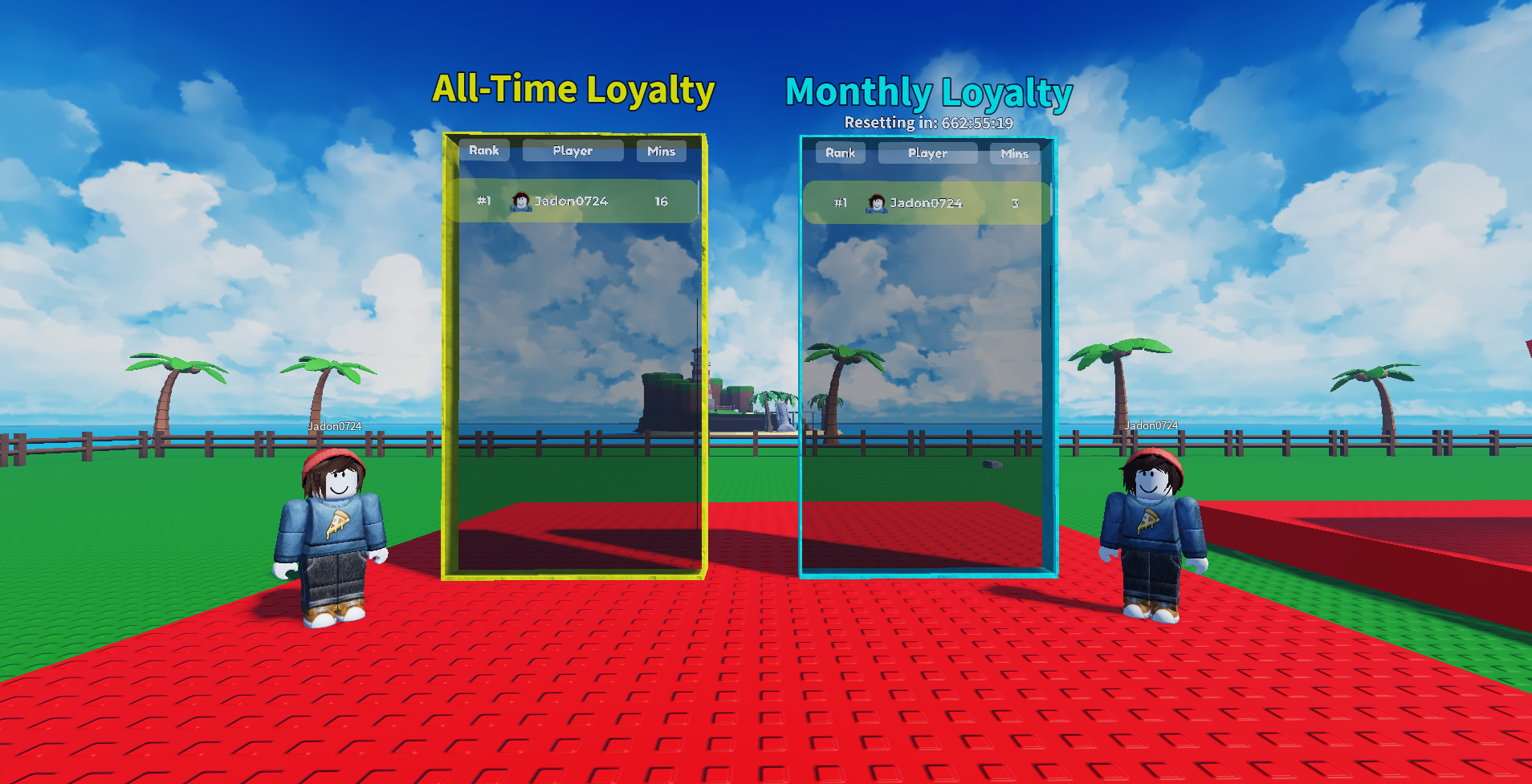
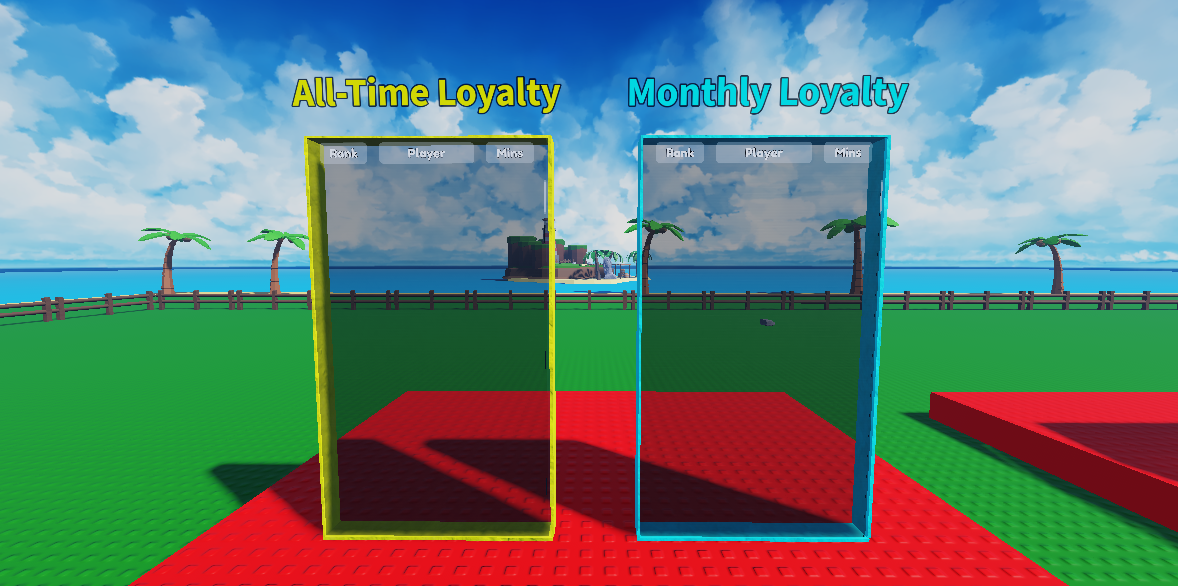
A lightweight, plug-and-play leaderboard framework designed for **persistent,
auto-updating, multi-period leaderboards** — including support for:
• All-time stats
• Monthly (auto-resetting) stats
• Ordered DataStores
• Auto avatar display for top players
• Automatic UI population from templates
• Fully server-driven logic (no client risk)
This system avoids controllers, modules, and unnecessary wrappers — everything is clean, direct, and readable.
-----------------------------------------------------------
✨ FEATURES
-----------------------------------------------------------
🏆 Supports multiple leaderboard types (All-Time, Monthly, etc.)
🔄 Automatic periodic updates to OrderedDataStores
🧹 Automatic clearing & UI repopulation
👕 Automatic avatar spawning for #1 ranked players
📅 Monthly auto-reset countdown display
🧩 Blueprint-driven UI (easy to reskin)
📦 Works with your existing save system through Bindables
🚫 No client write access → exploit-resistant
-----------------------------------------------------------
⚙️ FILE OVERVIEW
-----------------------------------------------------------
ServerScriptService/
└─ LeaderboardServer.lua -- Handles Datastores, UI population, resets
ReplicatedStorage/
├─ Bindables/
│ └─ GetPlayerSave (BindableFunction) -- Used to retrieve player stats
├─ Blueprints/
│ ├─ Dummy -- Avatar template
│ ├─ LeaderboardEntry -- Standard entry
│ ├─ LeaderboardEntryFirst -- Rank #1 special frame
│ ├─ LeaderboardEntrySecond -- Rank #2 special frame
│ └─ LeaderboardEntryThird -- Rank #3 special frame
Workspace/
└─ Leaderboards/ -- One model per leaderboard
├─ Main.LeaderboardGUI.Holder
└─ LeaderSpawn -- Where 1st place avatar appears
-----------------------------------------------------------
📐 SYSTEM ARCHITECTURE
-----------------------------------------------------------
SERVER — LeaderboardServer.lua
------------------------------
Handles all responsibilities:
1. **Pulls live stats** using:
bindables.GetPlayerSave:Invoke(player)
2. **Chooses which value to read** using `_getValue(player, index)`
(You customize this for your game data.)
3. **Stores data** into OrderedDataStores:
store:SetAsync(player.UserId, value)
4. **Rebuilds UI** every update cycle
• Clears old UI elements
• Clones UI templates
• Populates names, values, ranks, profile icons
5. **Spawns avatar** of #1 player via:
spawnUserAvatar(userId, cframe)
6. **Calculates monthly reset timer** and updates the leaderboard label
Everything is automated — you only edit your own stat retrieval logic.
-----------------------------------------------------------
🧠 HOW MONTHLY RESET WORKS
-----------------------------------------------------------
Your save system is responsible for clearing monthly stats (example provided).
The leaderboard system simply:
• Inserts the current `{YEAR}` and `{MONTH}` into the DataStore key
• Displays a real-time countdown to the next month
• Uses a different OrderedDataStore each month automatically
Example key:
"MonthlyLoyal_2025_2"
As the month changes, a *new* DataStore becomes active.
-----------------------------------------------------------
🔧 CUSTOMIZING YOUR LEADERBOARDS
-----------------------------------------------------------
Inside LeaderboardServer:
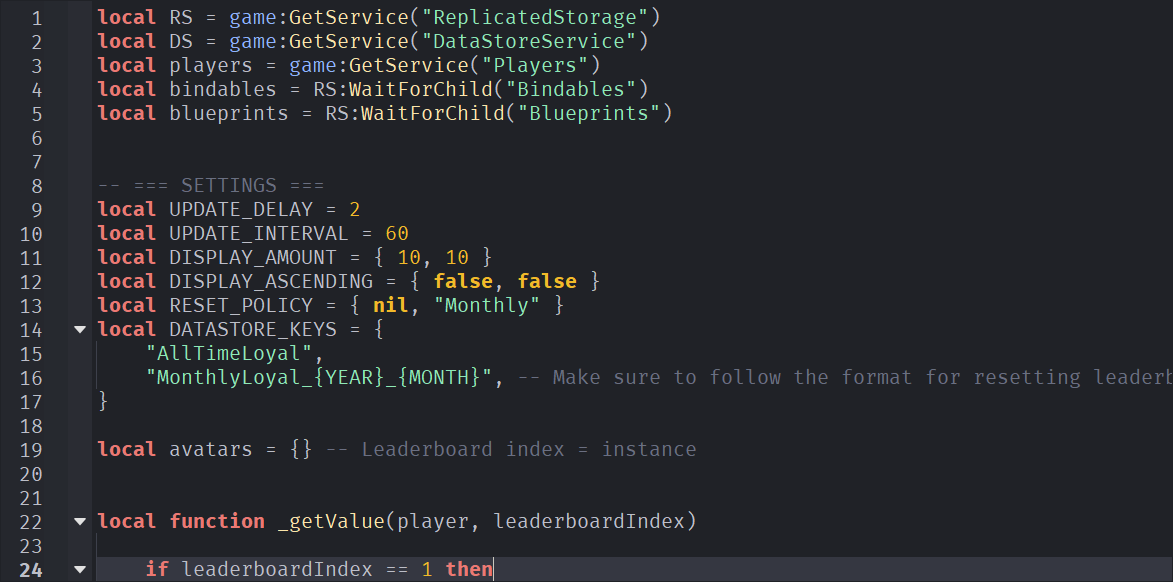
1. `DISPLAY_AMOUNT`
Number of players shown per leaderboard.
2. `DISPLAY_ASCENDING`
Whether low → high (true) or high → low (false).
3. `RESET_POLICY`
Supports:
nil — never resets
"Monthly" — shows countdown and swaps DataStore key
4. `DATASTORE_KEYS`
Use `{YEAR}` and `{MONTH}` tokens for auto-period keys.
-----------------------------------------------------------
📦 SAVE SYSTEM INTEGRATION (EXAMPLE INCLUDED)
-----------------------------------------------------------
Your save script must expose two Bindables:
1. `GetPlayerSave` → returns a table like:
{
Playtime = number,
MonthlyPlaytime = number,
LastMonth = number
}
2. (Optional) `SetPlayerSave` — only needed if you want to modify data.
The provided sample demonstrates:
• Monthly stat rollover
• Incrementing playtime per minute
• DataStore2 usage
• Saving on CharacterRemoving
-----------------------------------------------------------
🖥 SERVER USAGE EXAMPLE
-----------------------------------------------------------
Nothing else required — it all runs automatically.
All you must do is:
✔ Put your leaderboards in workspace
✔ Ensure blueprints exist
✔ Return correct values in `_getValue()`
✔ Ensure save system exposes GetPlayerSave
Done! The system handles the rest.
-----------------------------------------------------------
💡 TIPS
-----------------------------------------------------------
• Never setAsync test players (UserId < 0)
• Use separate DataStore keys for each leaderboard
• Your LeaderboardEntry templates control your look — not the script
• Monthly DataStore swap ≠ monthly data wipe
→ Your save file *must* reset monthly values too (example provided)
-----------------------------------------------------------
⚖️ LICENSE — COMMERCIAL USE ONLY
-----------------------------------------------------------
Copyright (c) 2025
Jadon Fischer (Fischer Software e.K. / Jadon | Roblox Tutorials)
Permission is granted to the purchaser to modify and use in commercial Roblox
experiences. Redistribution in any form is prohibited.
-----------------------------------------------------------
✅ CREDITS
-----------------------------------------------------------
Developed by Jadon Fischer (Fischer Software e.K. / Jadon | Roblox Tutorials)
Version 1.0 — automated, persistent, multi-board leaderboards.
===========================================================
Purchase
In order to download this tool you must purchase it at or above the minimum price of $9.99 USD. You will get access to the following files: